Short answer
A check-in plan gives one trusted person your route, expected return and a separate overdue time, with agreed steps if you miss it. Tell them when and how you will contact them and what to do if there is no signal at the finish. Send an updated copy if the route changes.
On this page
Give one person the working copy
Ask someone who will be available at the agreed time. Give them the trip date, people in the group, start and end locations, the intended trail and a copy of the relevant map or route details. If you plan to leave a vehicle at a trailhead, note its location and identifying details with the person you trust.
A check-in has to work for both sides. Find out when the contact will be away from their phone and what number you will use. Discuss local emergency contacts in advance. The National Park Service trip planning guide provides a separate trip plan for the same reason. The day hike itinerary gives you the timed route to put on that copy.
Pick a time that has an action attached
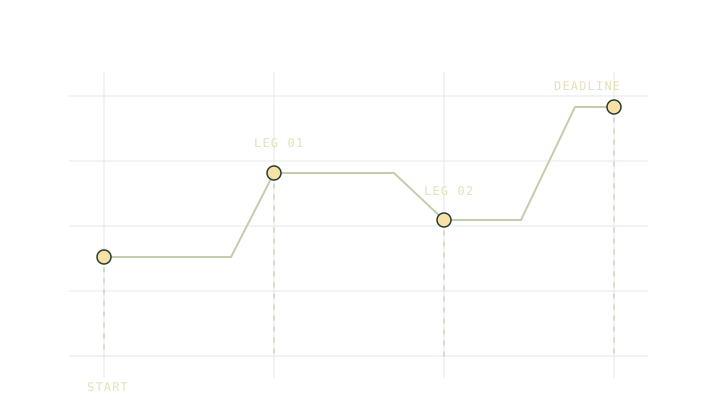
For example, a group estimates it will finish at 15:30 and has a planned drive to reception before checking in. They agree to check in by 16:30. In the event of silence they agree on a specific overdue time and the steps the contact will take then. These are illustrative times. The gap depends on the actual route, signal and consequences of waiting.
Write the instructions in plain language. Include the contact method, which alternative finish you might use, and the local authority or rescue route the contact should use under the agreed plan. If an emergency is already known, act on it instead of waiting for an overdue time.
Give reception its own place in the plan
Name the point where you expect to regain signal. The car park might have none. Tell your contact what they should expect if the group takes the shorter exit and ends up at a different road. Remember that an offline note or map cannot transmit your position. Check the communication plan alongside the offline trip checklist.
Budget power for the actual communications you intend to use. The power budget can hold the energy figures. Test the equipment and know how to use it. The Ten Essentials explains why light and navigation still need their own place when the phone is also your contact device.
Close the loop
In the trip planner, write the route name, the alternative and the agreed check-in details, then print or export a copy. Keep phone numbers and sensitive details between the people who need them. A route posted publicly is no substitute for a contact who knows what to do.
Send the check-in when you have finished and wait for acknowledgement if that is part of the agreement. If you cancel or change the trip, send the update before you go out of contact. The contact should be able to tell which plan is current and when the plan has ended.
Put the date and local time zone on the copy if anyone is in a different region. Use a time that both people can recognise without converting it in a hurry.
Common questions
Is my estimated finish the same as my overdue time?
They serve different jobs. The estimate is for your route and the overdue time tells your contact when to start the steps you agreed on.
Does a saved offline plan notify anyone?
A saved plan is a copy on the device. Arrange check-ins directly and confirm the person has the route and knows when to act.
Sources
Published 9 November 2026. Reviewed 9 November 2026. Sources support the figures quoted; they do not endorse Trailwright. Report a correction through the owner’s contact page.